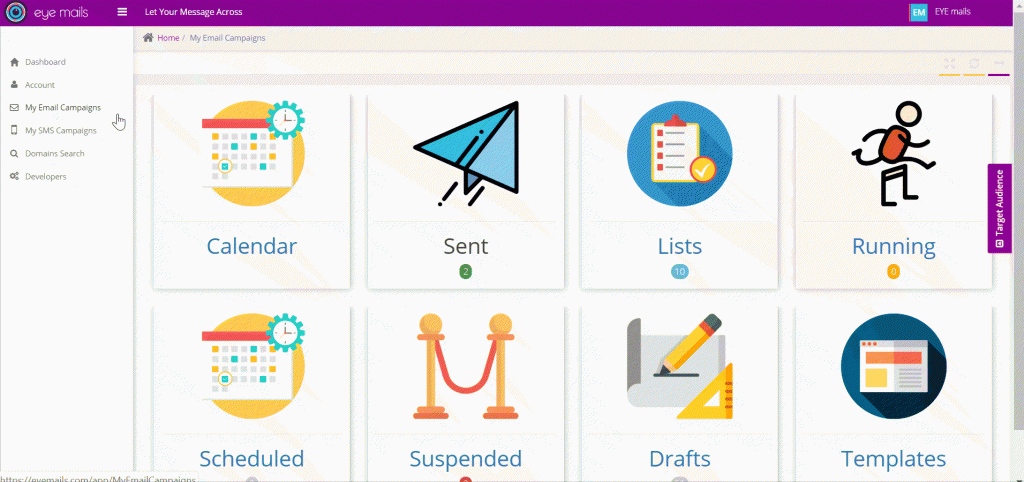
Clients are able to create, rename, modify, export, monitor the email status of their audience lists and other available features.
Below you may check two options for importing new audience lists:
- Bulk List import
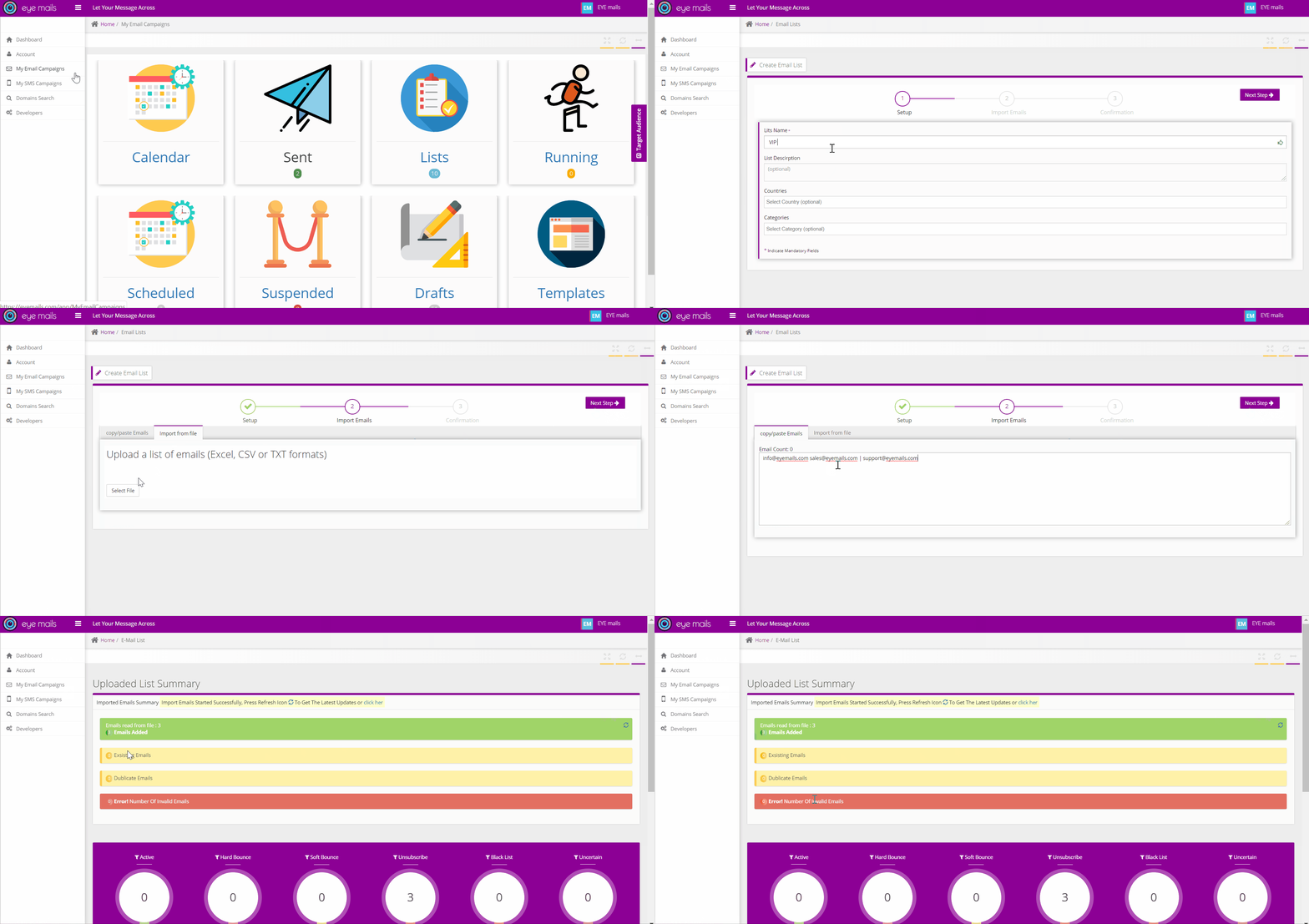
You are able to create and import bulk email lists using one of the below methods:
- Copy/Paste Tool (allowing the user to simply paste emails/text and it will automatically capture correct emails by syntax).
- Import file (txt, csv or excel formats).
- Personalized List Import
EYEmails platform facilitates the import of personalized emails using an excel sheet containing the required parameters (Title, First name, Last name and email).
Moreover the platform will automatically validate and notify you with invalid emails by syntax and you can download the list of invalid emails, so they can be fixed and imported again to the created list.
- Export List
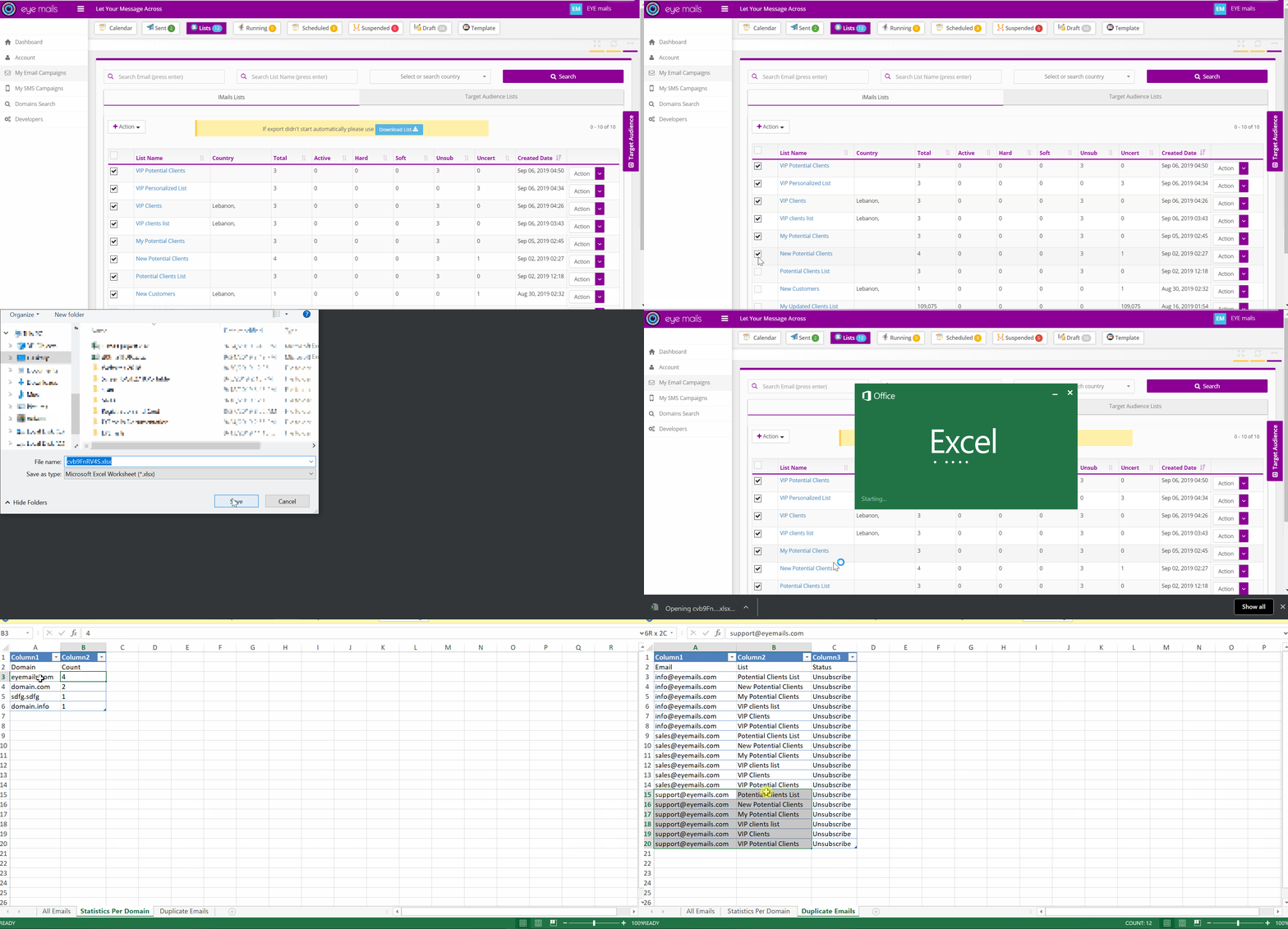
Client can be able to export several lists based on his selection and he can get a brief report (in excel sheet) about the below points:
- All Emails (Email, title, first name, last name, status)
- Statistics per domain (count of email per domain)
- Duplicate Emails (list of duplicate emails, in which lists they are found and their status in each list).