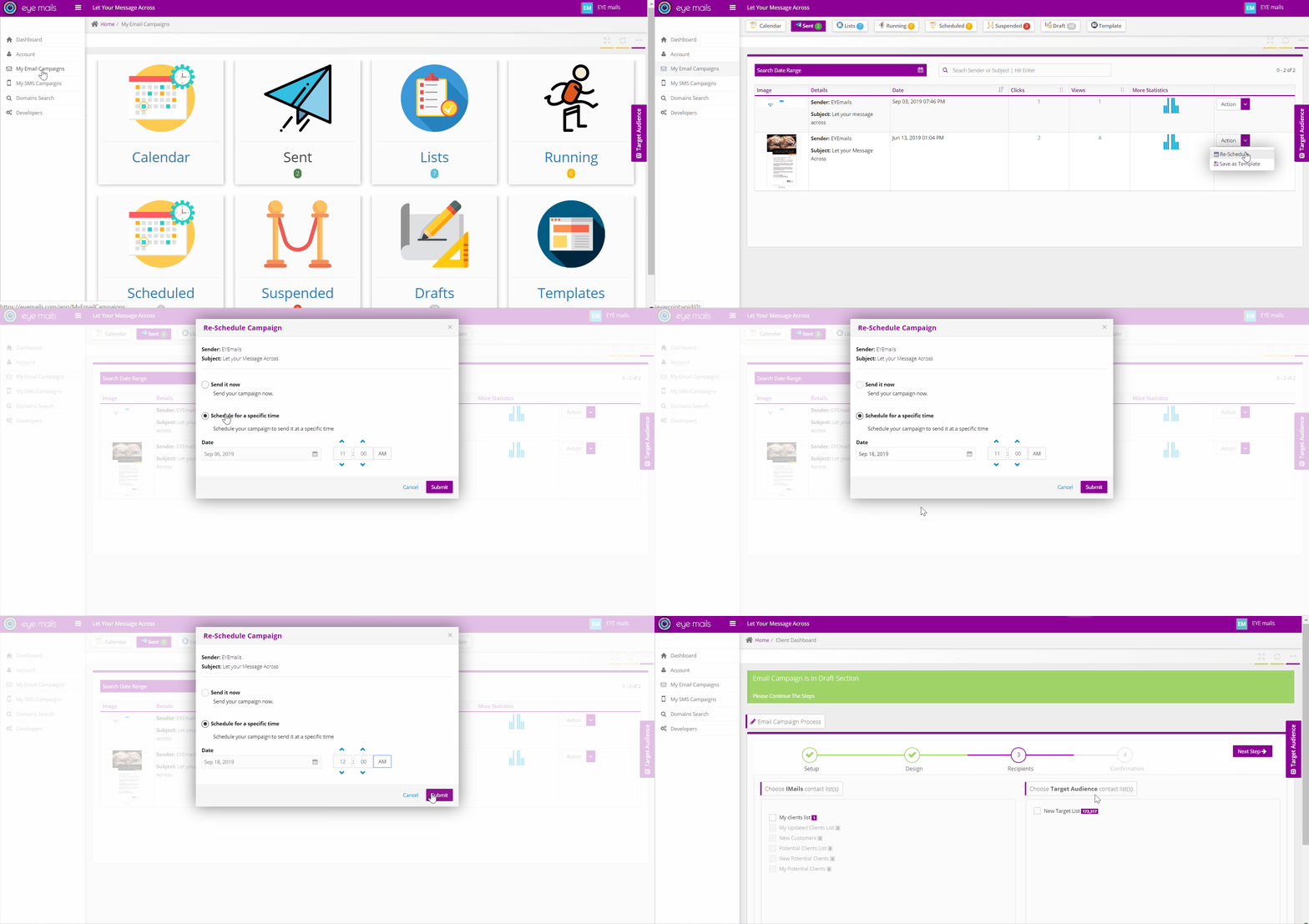
Re-scheduling your email campaigns can be easily done, using one of the below steps:
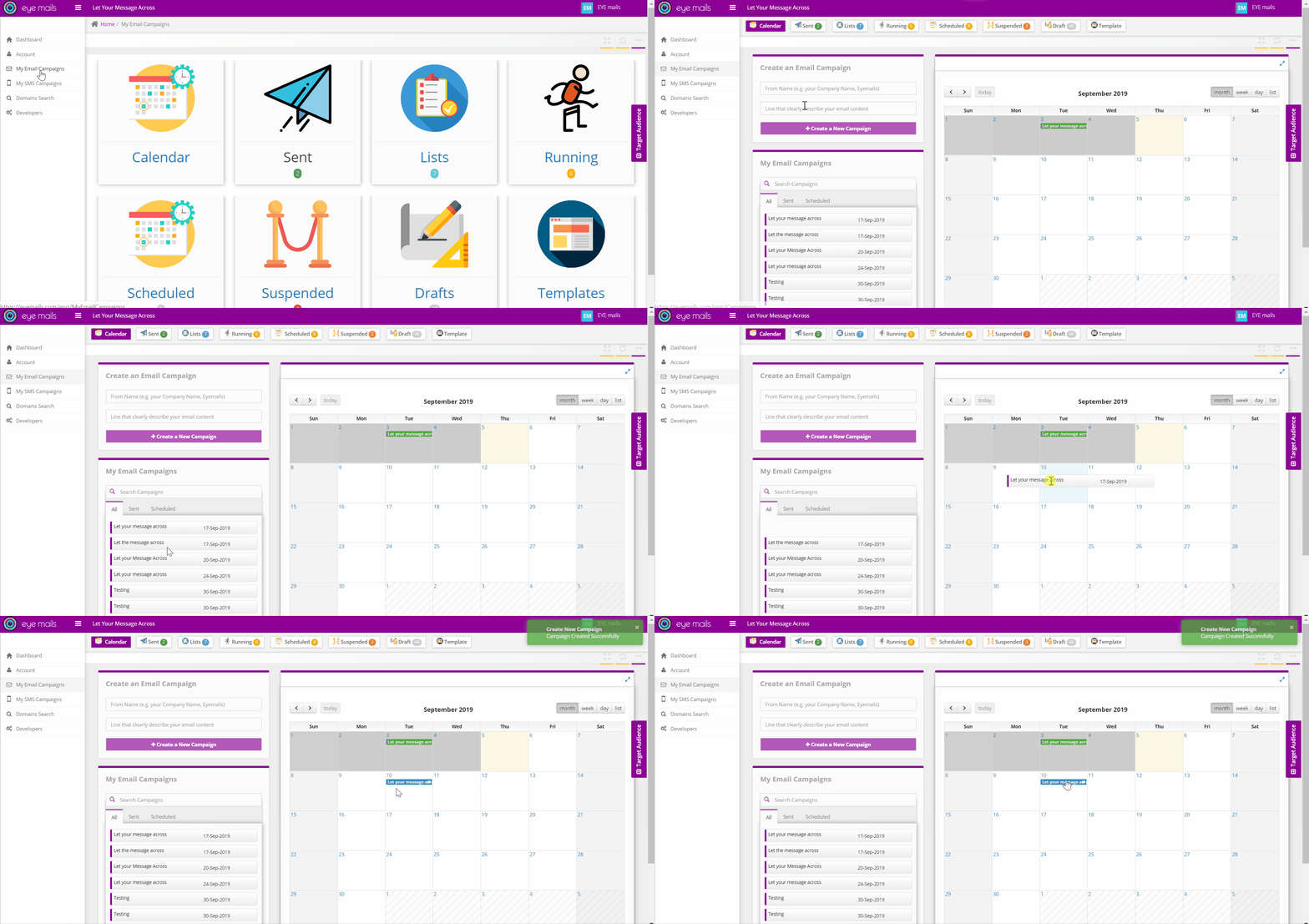
Calendar
- Simply drag your campaign from the left-hand side list (ex. all, sent or scheduled campaigns tabs) to the selected date or reschedule your campaign by dragging it between dates.
Sent
- Reschedule your campaign from the “Sent” page in order to resend it to new unique audience.